To be able to edit the Associate's Time Punches, you will first need to be able to access the Settings. If you do not have access to Settings, contact your Administrator.
You will need to log into BridalLive and navigate to Settings. Once in Settings, go to Users & Security > Users. Navigate to the User that you would like to edit their Time Punches, select the arrow next to Manage: Work Schedule and choose Time Punches.
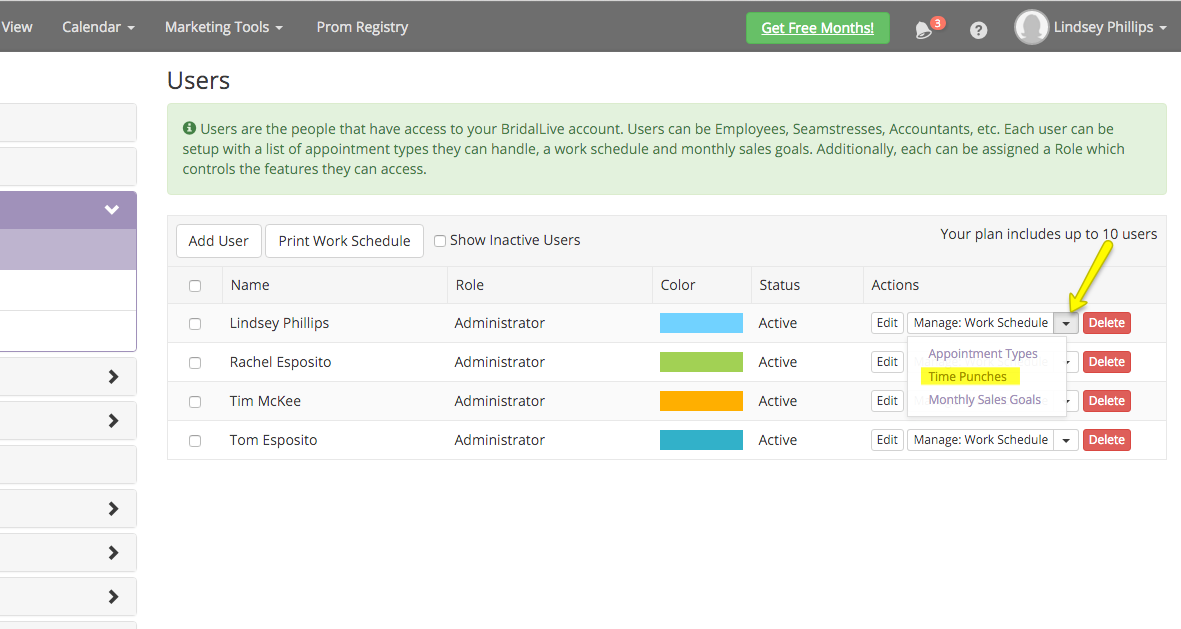
From here you will be able to edit the User's Time Punches.
You will need to log into BridalLive and navigate to Settings. Once in Settings, go to Users & Security > Users. Navigate to the User that you would like to edit their Time Punches, select the arrow next to Manage: Work Schedule and choose Time Punches.
From here you will be able to edit the User's Time Punches.